
Can you save on LLM tokens using images instead of text?

The practical constraint is not whether an image can be read, but whether it can be operationalized reliably. Converting text into rendered images adds a preprocessing step, an OCR-like ingestion path, and an additional failure mode: layout, font choice, anti-aliasing, cropping, and resolution all affect what the model can recover. That means any token savings have to be evaluated against pipeline complexity and the risk of silent extraction errors.
For production systems, the more relevant question is where the cost shifts. Images may reduce prompt-token counts, but they can increase latency, raise completion usage, and create less predictable behavior across model variants. Teams running high-volume workloads should benchmark end-to-end cost per successful task, not just input tokens, because a cheaper prompt can still be more expensive once retries, longer generations, and extra processing are included.
This pattern also has architectural implications for integration design. If document-to-image conversion becomes part of the workflow, you are effectively building a custom ingestion layer that must be versioned, monitored, and tested alongside the model. That introduces coupling between rendering tools, model-specific image handling, and downstream parsing, which makes maintainability harder than plain-text prompting.
Security and governance deserve equal attention. Rendered text can obscure content from conventional text scanners, DLP tools, and indexing pipelines unless the organization explicitly adds OCR or visual inspection into its controls. For regulated or auditable workflows, that opacity can be a liability: any apparent token optimization should be weighed against traceability, accessibility, and compliance requirements.
TLDR: Yes, but only under specific conditions, and it is probably not worth the trade-offs.The recent OCR paper from DeepSeek and the related discussion reminded me of something curious I noticed with the OpenAI API – Prompts that use images as input consume almost the same number of tokens as those that use text, even though the images could be 50x the size of the text. This made me think, could you actually save on tokens by converting your text to an image and sending that to the api?
Setting up an experiment
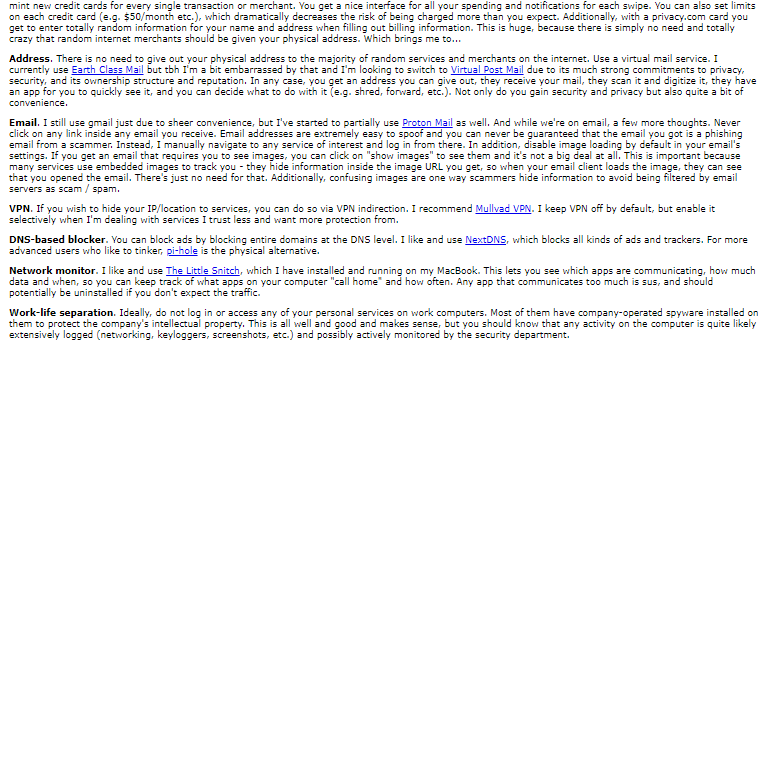
To test the theory, I ran a simple prompt using both text only and an image-based one. For the prompt I’m asking ChatGPT to pick out and summarize the information from this post by Karpathy on digital hygiene. It should be something LLMs are good at, but there is also a clear correct answer so it’s easy to check. The prompt is simply the following:List every hygiene tip from the collection, with a short sentence summary.
List the titles * EXACTLY * as in the text
Follow the following format:
** Title 1 ** - summary 1
** Title 2 ** - summary 2
DO NOT ask any followup questions, simply return the list.**Password manager** - Use a password manager to store and generate unique passwords to prevent reuse and leaks across services.
**Hardware security key** - Strengthen your accounts with physical security keys like YubiKeys for superior protection against attacks and SIM swaps.
**Biometrics** - Use biometric authentication, such as FaceID, as an additional factor of security where available.
**Security questions** - Avoid traditional security questions; use random passwords instead to prevent easy guessing or phishing.
.. etc
Converting the prompt to an image
When creating the image we need to be careful to get the dimensions right, otherwise OpenAI will resize the image and won’t be able to make out any text. Looking through their documentation, the ideal size seems to be 768×768, so I wrote a basic puppeteer script to convert the post to an image with these dimensions. To fit into the desired resolution, I had to break the prompt into two images; you can see them here and here. When running the prompt, you have to specify both images with “detail”: “high”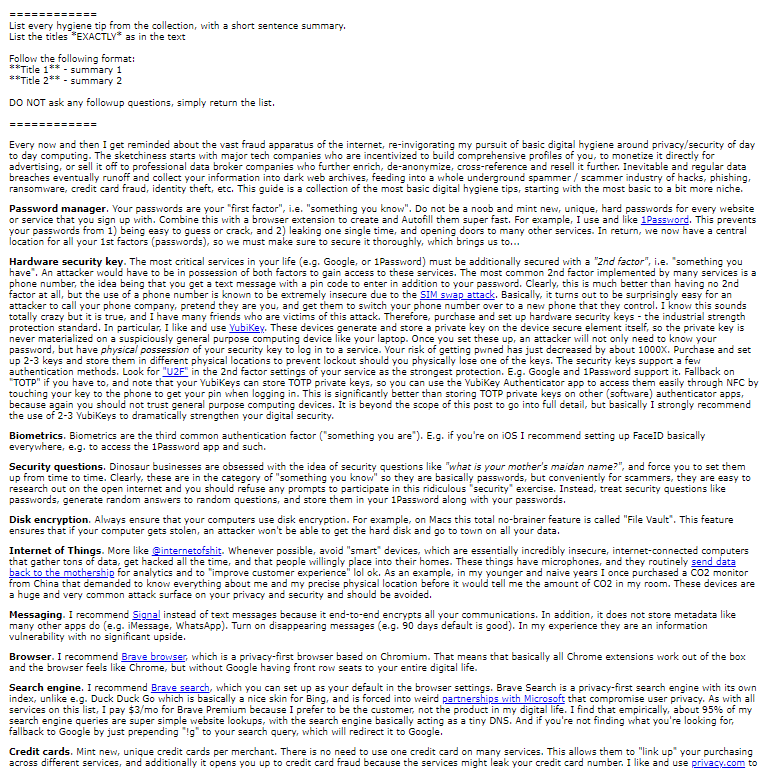
 model='gpt-5',
 messages=[{
 'role': 'user',
 'content': [
 {"type": "image_url", "image_url": {"url": f"{im_1}", "detail": "high"}},
 {"type": "image_url", "image_url": {"url": f"{im_2}", "detail": "high"}},
 ],
},The Results
Running the prompt with a few different models, we can see there are indeed significant savings in prompt tokens. With gpt-5 in particular, we get over a 40% reduction in prompt tokens.Completion Tokens
Prompt tokens are only half the story, though. Running the prompt five times with each model and taking the average, we see the following: All models apart from gpt-5-chat use significantly more completion tokens with the image inputs. Completion tokens are also significantly more expensive, so unless you use the chat model, you are not getting any savings.Enjoyed this article? Sign up for our newsletter to receive regular insights and stay connected.