Accelerate AI development using Amazon SageMaker AI with serverless MLflow

Serverless MLflow changes the operational model for experimentation by removing the infrastructure decisions that often slow early-stage AI work. For teams building in SageMaker AI, the practical implication is less time spent on environment sizing, scaling, and patching, and more time on reproducible runs, artifact capture, and iteration. That is especially relevant when experimentation needs to move quickly between notebooks, pipelines, and model governance controls.

The integration with SageMaker Pipelines matters architecturally because it turns experiment tracking from a standalone utility into part of an automated delivery path. Metrics, parameters, and artifacts can be logged as pipeline steps execute, which helps keep lineage tied to the workflow that produced a model. The trade-off is that teams must design naming, access patterns, and retention carefully so the tracking layer remains useful as usage grows across projects and accounts.

MLflow 3.4 tracing adds deeper observability for generative AI development, where execution paths can be distributed across prompts, tools, and model calls. Capturing inputs, outputs, and metadata makes debugging and review more practical, but it also increases the importance of disciplined data handling. Organizations should treat trace data as operational telemetry that may need access controls, governance, and review processes aligned with existing security and compliance requirements.

Cross-account sharing and automatic upgrades simplify adoption, but they also shift responsibility toward platform governance. Shared access via AWS RAM can reduce duplication, while in-place upgrades reduce maintenance overhead. Teams still need to validate compatibility, define ownership of shared MLflow Apps, and plan for service limits before standardizing serverless tracking across multiple domains.
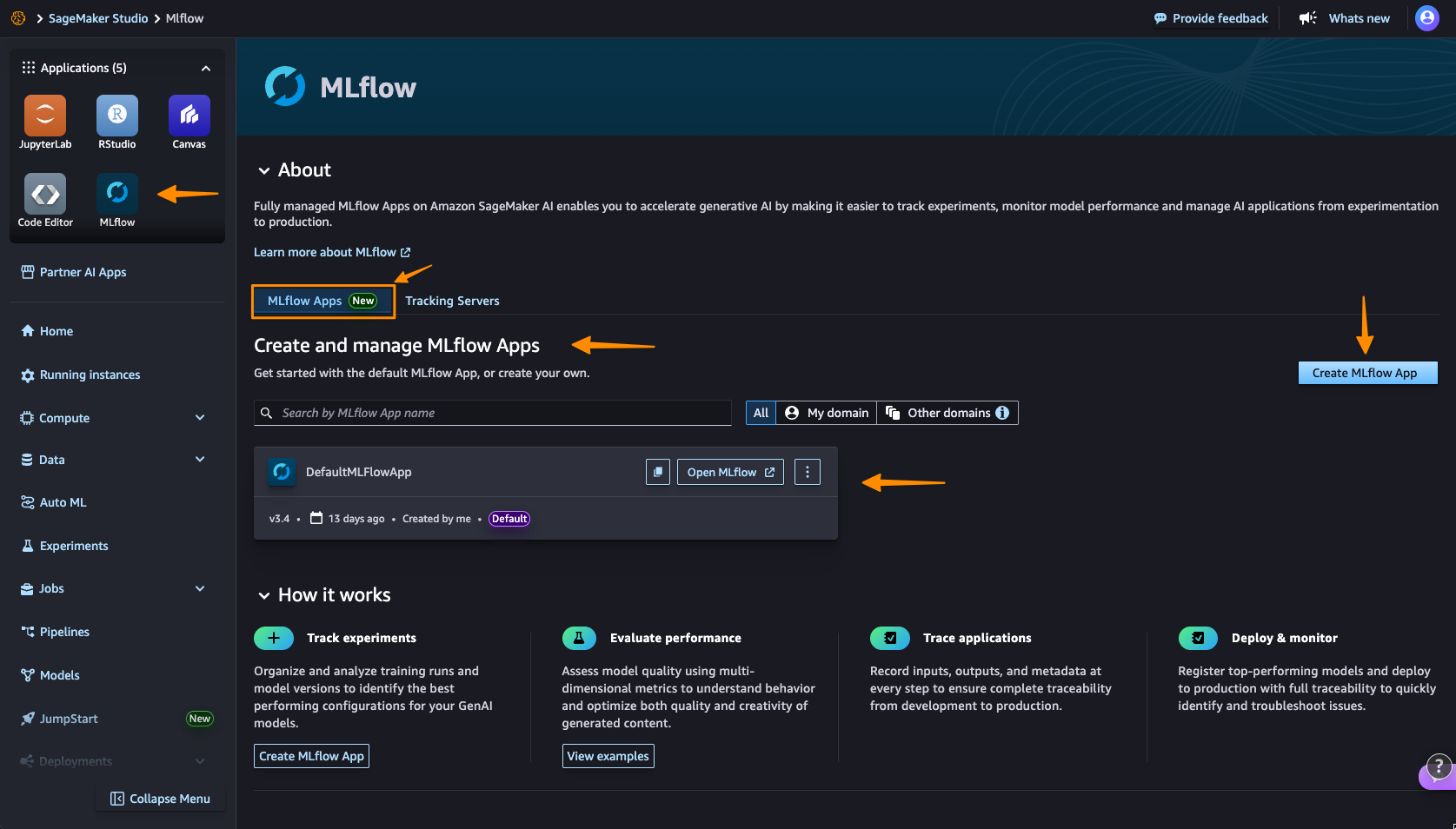

Since weย announced Amazon SageMaker AI with MLflow in June 2024, our customers have been using MLflow tracking servers to manage theirย machine learning (ML)ย and AI experimentation workflows.ย Building on this foundation, weโ€™re continuing to evolve the MLflow experience to make experimentation even more accessible. Today, Iโ€™m excited to announce thatย Amazon SageMaker AI with MLflowย now includes a serverless capability that eliminates infrastructure management.ย This new MLflow capability transforms experiment tracking into an immediate, on-demand experience with automatic scaling that removes the need for capacity planning. The shift to zero-infrastructure management fundamentally changes how teams approach AI experimentationโ€”ideas can be tested immediately without infrastructure planning, enabling more iterative and exploratory development workflows. Getting started with Amazon SageMaker AI and MLflow Let me walk you through creating your first serverless MLflow instance. I navigate toย Amazon SageMaker AI Studio consoleย and select theย MLflowย application. The termย MLflow Appsย replaces the previousย MLflow tracking serversย terminology, reflecting the simplified, application-focused approach.
Here, I can see thereโ€™s already a default MLflow App created. This simplified MLflow experience makes it more straightforward for me to start doing experiments. I chooseย Create MLflow App, and enter a name. Here, I have both anย AWS Identity and Access Management (IAM) roleย andย Amazon Simple Service (Amazon S3)ย bucket are already been configured. I only need to modify them inย Advanced settingsย if needed.
Hereโ€™s where the first major improvement becomes apparentโ€”the creation process completes in approximately 2 minutes. This immediate availability enables rapid experimentation without infrastructure planning delays, eliminating the wait time that previously interrupted experimentation workflows.
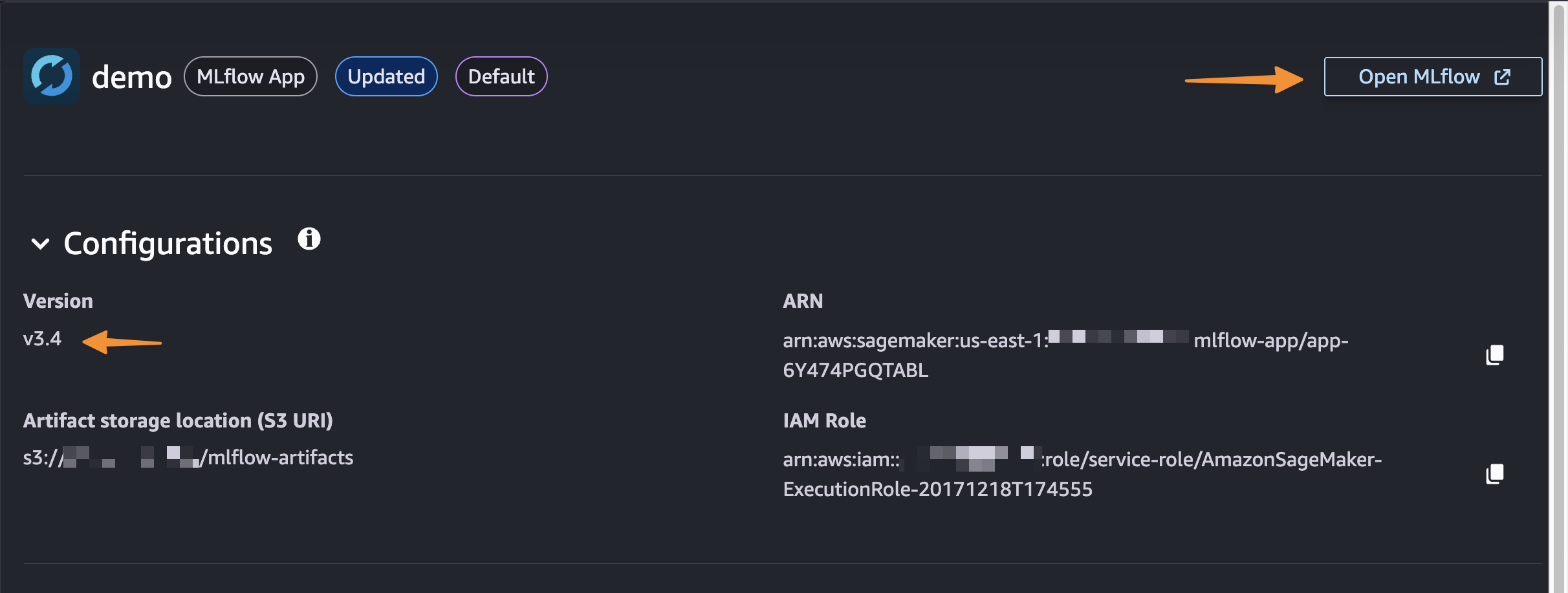
After itโ€™s created, I receive an MLflowย Amazon Resource Name (ARN)ย for connecting from notebooks. The simplified management means no server sizing decisions or capacity planning required. I no longer need to choose between different configurations or manage infrastructure capacity, which means I can focus entirely on experimentation. You can learn how to use MLflow SDK atย Integrate MLflow with your environment in the Amazon SageMaker Developer Guide.
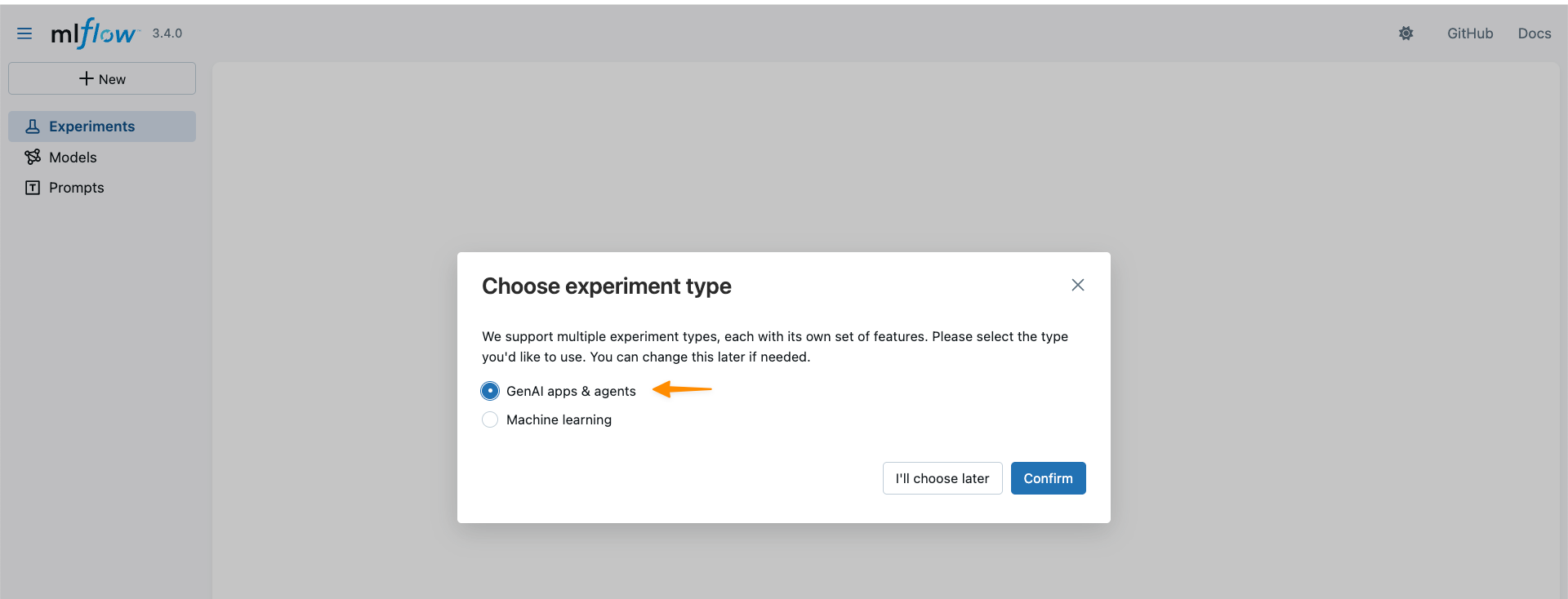
With MLflow 3.4 support, I can now access new capabilities forย generative AIย development. MLflow Tracing captures detailed execution paths, inputs, outputs, and metadata throughout the development lifecycle, enabling efficient debugging across distributed AI systems.
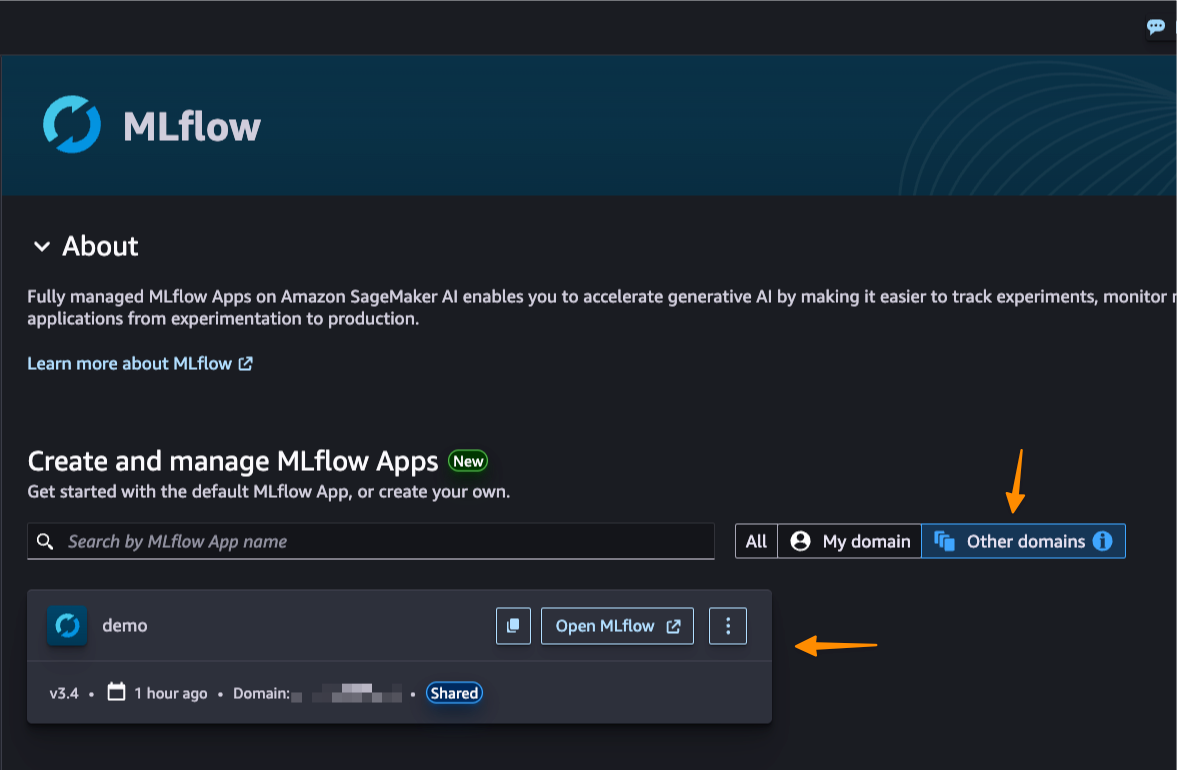
This new capability also introduces cross-domain access and cross-account access throughย AWS Resource Access Manager (AWS RAM)ย share. This enhanced collaboration means that teams across different AWS domains and accounts can share MLflow instances securely, breaking down organizational silos.
Better together: Pipelines integration Original Postipelines/" target="_blank" rel="noopener">Amazon SageMaker Pipelinesย is integrated with MLflow. SageMaker Pipelines is a serverless workflow orchestration service purpose-built forย machine learning operations (MLOps) and large language model operations (LLMOps) automationโ€”the practices of deploying, monitoring, and managing ML and LLM models in production. You can easily build, execute, and monitor repeatable end-to-end AI workflows with an intuitive drag-and-drop UI or the Python SDK.
From a pipeline, a default MLflow App will be created if one doesnโ€™t already exist. The experiment name can be defined and metrics, parameters, and artifacts are logged to the MLflow App as defined in your code. SageMaker AI with MLflow is also integrated with familiar SageMaker AI model development capabilities likeย SageMaker AI JumpStartย andย Model Registry, enabling end-to-end workflow automation from data preparation through model fine-tuning. Things to know Here are key points to note:
  • Pricingย โ€“ The new serverless MLflow capability is offered at no additional cost. Note there are service limits that apply.
  • Availabilityย โ€“ This capability is available in the following AWS Regions: US East (N. Virginia, Ohio), US West (N.California, Oregon), Asia Pacific (Mumbai, Seoul, Singapore, Sydney, Tokyo), Canada (Central), Europe (Frankfurt, Ireland, London, Paris, Stockholm), South America (Sรฃo Paulo).
  • Automatic upgrades:ย MLflow in-place version upgrades happen automatically, providing access to the latest features without manual migration work or compatibility concerns. The service currently supports MLflow 3.4, providing access to the latest capabilities including enhanced tracing features.
  • Migration supportย โ€“ You can use the open source MLflow export-import tool available atย mlflow-export-importย to help migrate from existing Tracking Servers, whether theyโ€™re from SageMaker AI, self-hosted, or otherwise to serverless MLflow (MLflow Apps).
Get started with serverless MLflow by visitingย Amazon SageMaker AI Studioย and creating your first MLflow App. Serverless MLflow is also supported in SageMaker Unified Studio for additional workflow flexibility. Happy experimenting! โ€”ย Donnie
https://aws.amazon.com/blogs/aws/accelerate-ai-development-using-amazon-sagemaker-ai-with-serverless-mlflow/

Enjoyed this article? Sign up for our newsletter to receive regular insights and stay connected.