
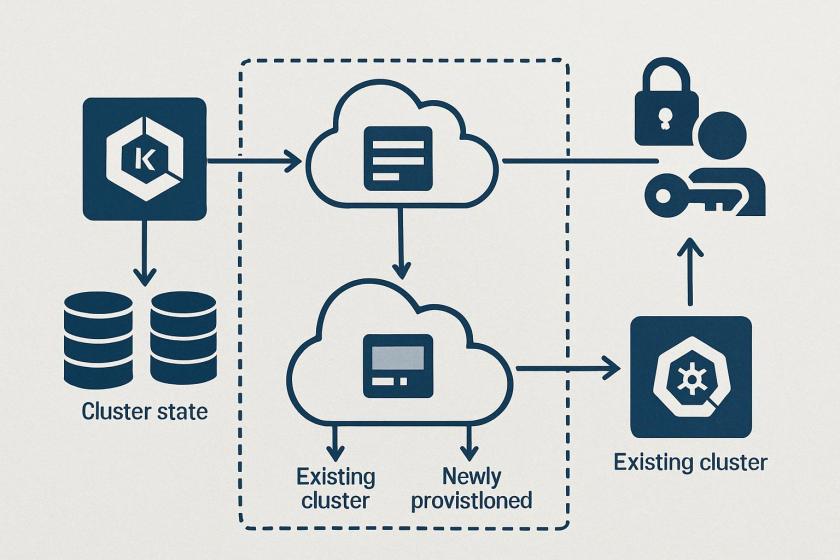
For platform teams, the key shift is not just “EKS backup exists,” but that backup policy can now become part of the cluster lifecycle. That changes how teams think about provisioning, change control, and recovery design: cluster state, persistent storage, and restore orchestration are no longer separate runbooks stitched together by scripts. For organizations running many clusters, this reduces the operational burden of maintaining per-cluster automation and makes backup coverage easier to standardize.
The architecture still has important boundaries. The protected scope is tied to supported storage back ends and to restore behaviors that are non-destructive rather than full replacement. That means disaster recovery plans must account for what is restored into an existing cluster versus what requires a newly provisioned target cluster. Engineering teams should treat the restore path as an application compatibility exercise, especially where Kubernetes objects, namespaces, and persistent volumes have different ownership or dependency chains.
Security and governance become more centralized, but also more role-dependent. Because AWS Backup operates through IAM roles and backup vault policies, access design matters as much as the backup job itself. Teams will need to validate permissions for backup creation, restore execution, and any attached S3/KMS access, while also deciding whether immutable copies and cross-account or cross-Region copies fit their compliance model.
Operationally, this is best seen as a resilience control for managed Kubernetes rather than a full replacement for broader DR planning. It can simplify recovery of cluster configuration and stateful data, but it does not remove the need to test restore timing, namespace scope, dependency ordering, and application-level readiness after recovery.
Here’s how I set up support for on-demand backup of my EKS cluster in AWS Backup. First, I’ll show a walkthrough of the backup process, then demonstrate a restore of the EKS cluster. Backup
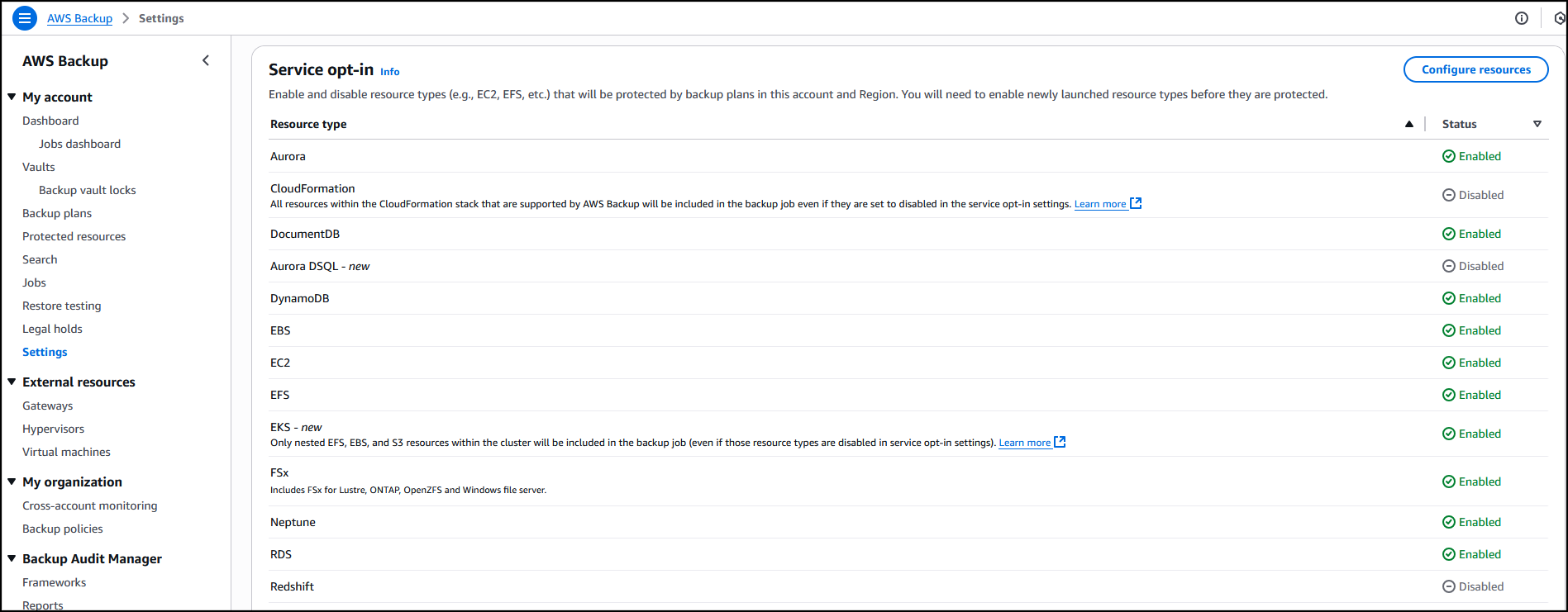
In the AWS Backup console, in the left navigation pane, I choose Settings and then Configure resources to opt in to enable protection of EKS clusters in AWS Backup.
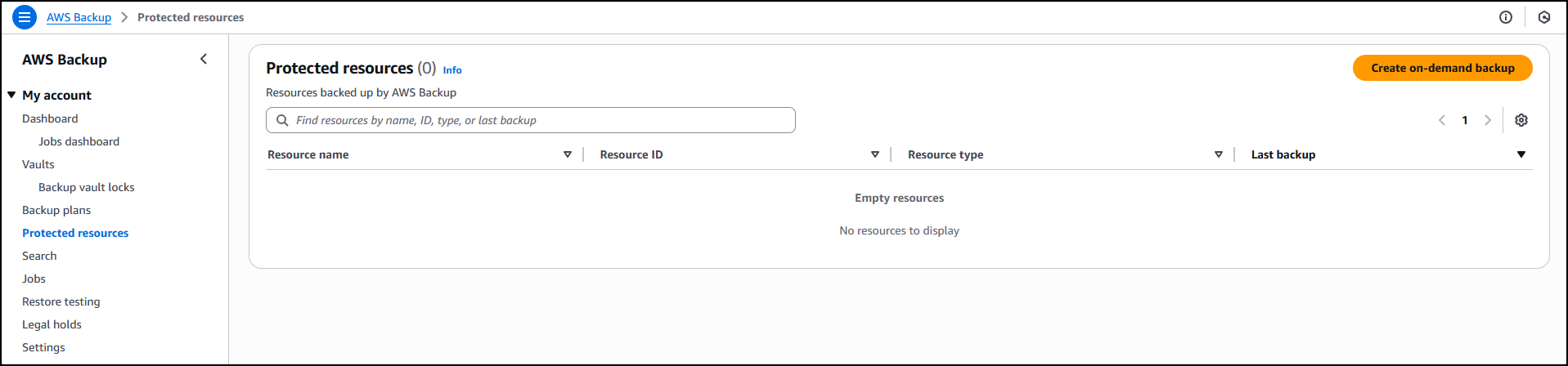
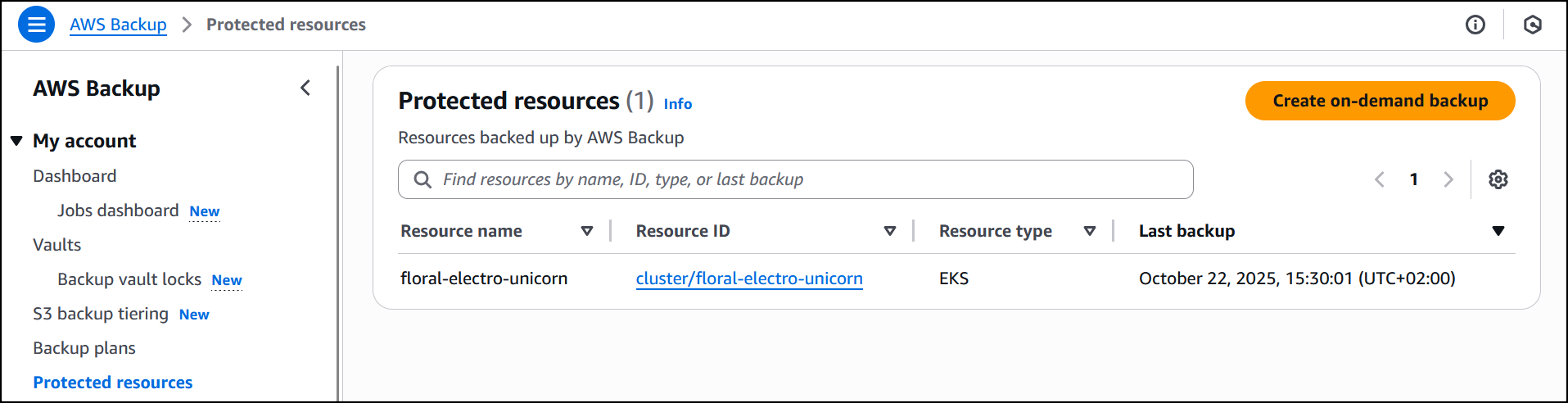
 Now that I’ve enabled Amazon EKS, in Protected resources I choose Create on-demand backup to create a backup for my already existing EKS cluster
 floral-electro-unicorn.
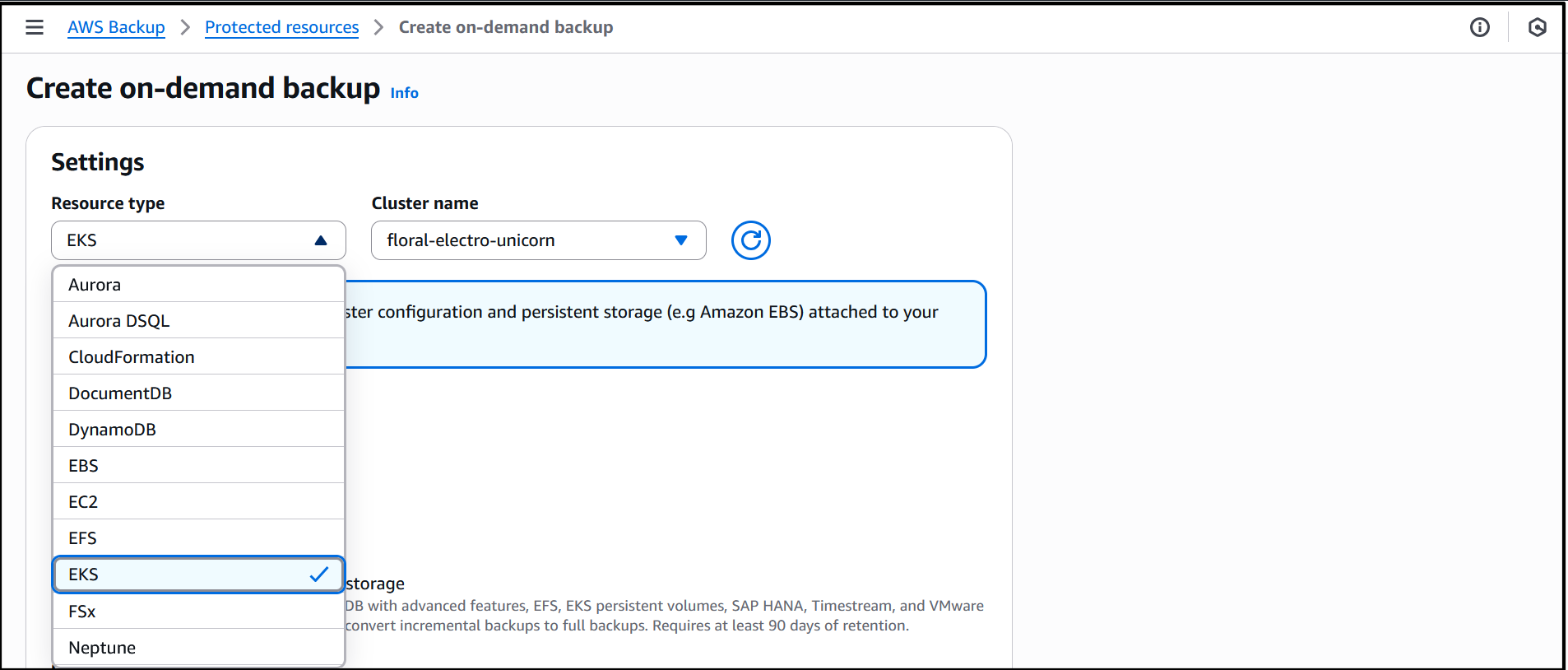
 Enabling EKS in Settings ensures that it shows up as a Resource type when I create on-demand backup for the EKS cluster. I proceed to select the EKS resource type and the cluster.
 I leave the rest of the information as default, then select Choose an IAM role to select a role (
test-eks-backup) that I’ve created and customized with the necessary permissions for AWS Backup to assume when creating and managing backups on my behalf. I choose Create on-demand backup to finalize the process.
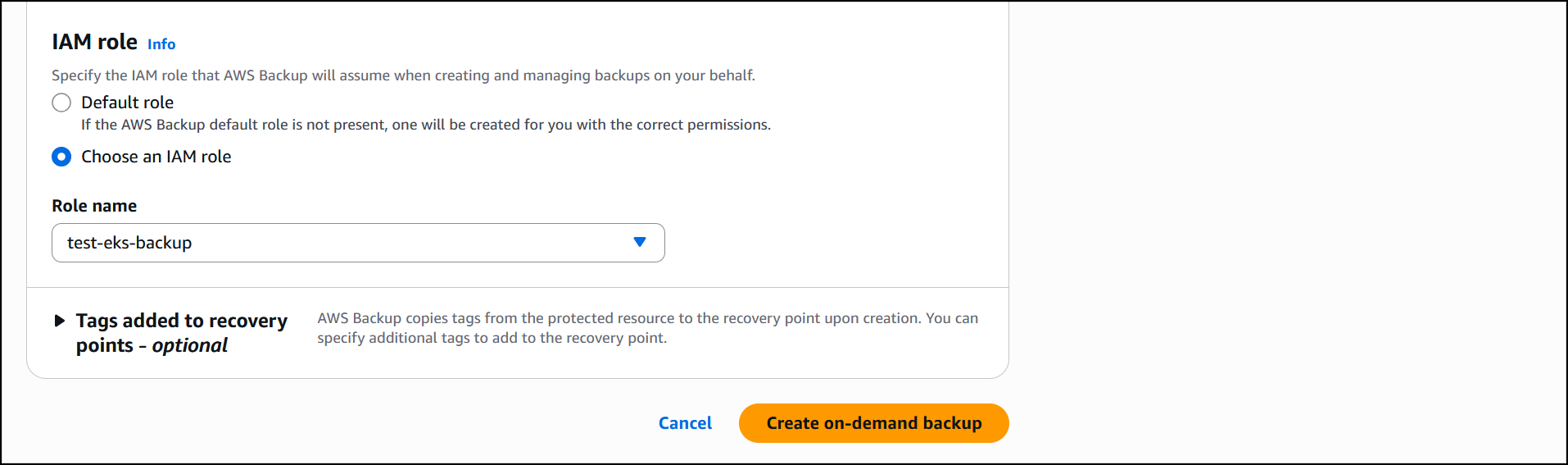
The job is initiated, and it will start running to back up both the EKS cluster state and the persistent volumes. If Amazon S3 buckets are attached to the backup, you’ll need to add the additional Amazon S3 backup permissions
AWSBackupServiceRolePolicyForS3Backup to your role. This policy contains the permissions necessary for AWS Backup to back up any Amazon S3 bucket, including access to all objects in a bucket and any associated AWS KMS key.
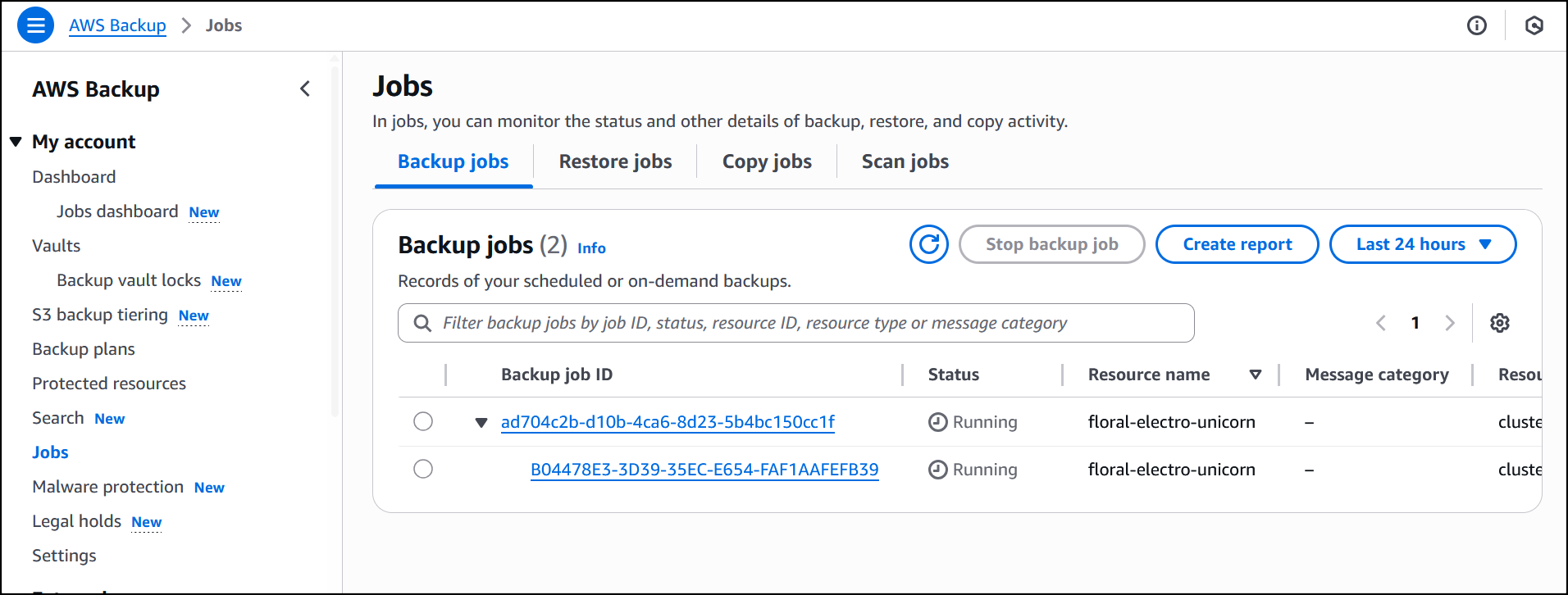
The job is completed successfully and now EKS cluster
floral-electro-unicorn is backed up by AWS Backup.
Restore
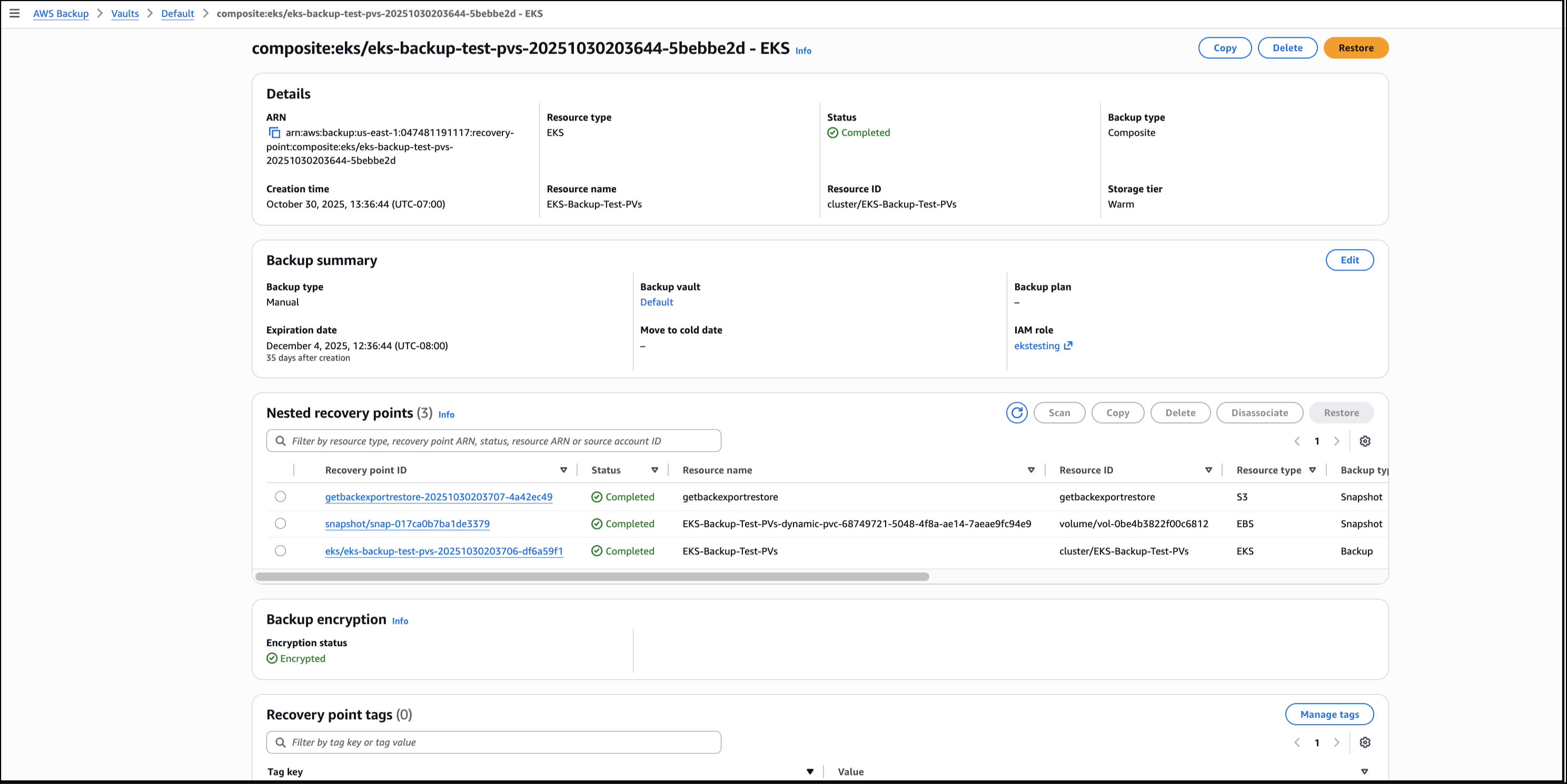
Using the AWS Backup Console, I choose the EKS backup composite recovery point to start the process of restoring the EKS cluster backups, then choose Restore.
I choose Restore full EKS cluster to restore the full EKS backup. To restore to an existing cluster, I Choose an existing cluster then select the cluster from the drop-down list. I choose the Default order as the order in which individual Kubernetes resources will be restored.
 I then configure the restore for the persistent storage resources, that will be restored alongside my EKS clusters.
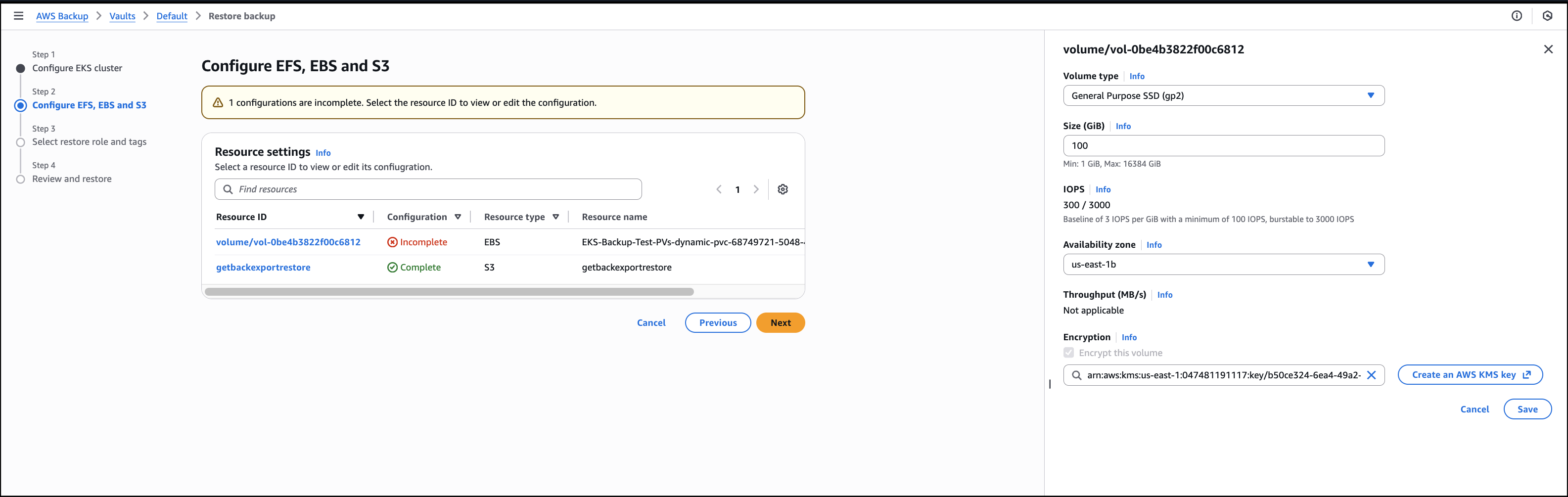
Next, I Choose an IAM role to execute the restore action. The Protected resource tags checkbox is selected by default and I’ll leave it as is, then choose Next.
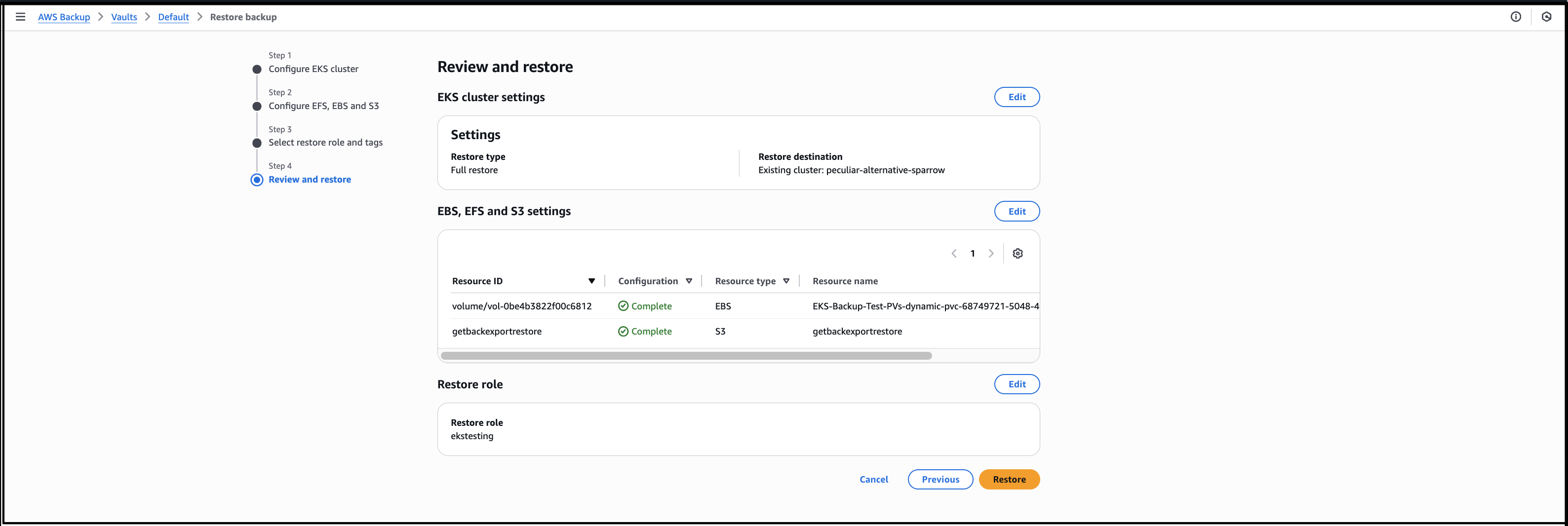
 I review all the information before I finalize the process by choosing Restore, to start the job.
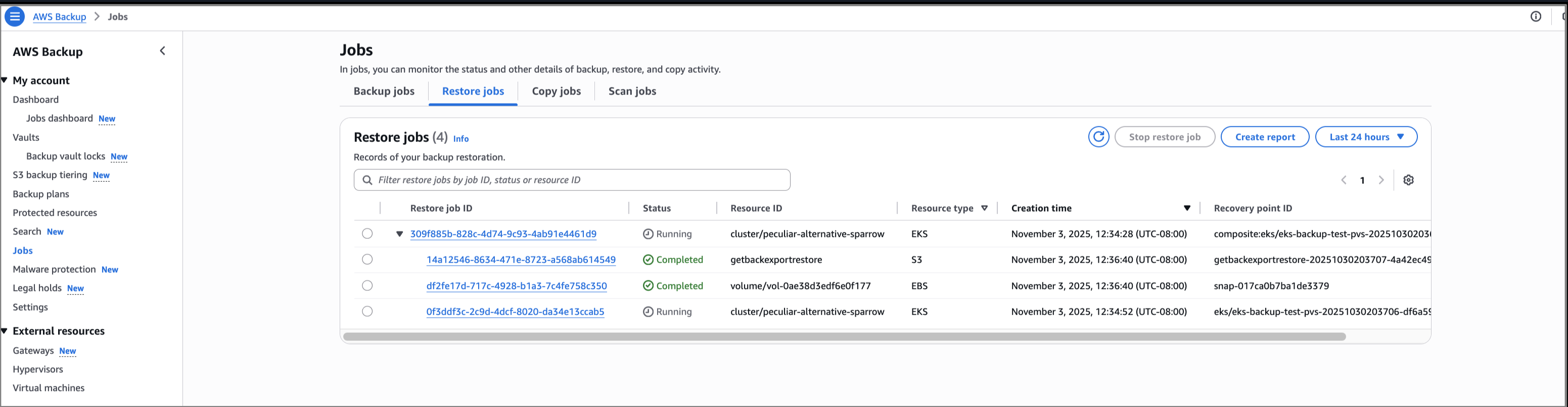
Selecting the drop-down arrow gives details of the restore status for both the EKS cluster state and persistent volumes attached. In this walkthrough, all the individual recovery points are restored successfully. If portions of the backup fail, it’s possible to restore the successfully backed up persistent stores (for example, Amazon EBS volumes) and cluster configuration settings individually. However, it’s not possible to restore full EKS backup. The successfully backed up resources will be available for restore, listed as nested recovery points under the EKS cluster recovery point. If there’s a partial failure, there will be a notification of the portion(s) that failed.
Benefits
Here are some of the benefits provided by the support for Amazon EKS in AWS Backup:
- A fully managed multi-cluster backup experience, removing the overhead associated with managing custom scripts and third-party solutions.
- Centralized, policy-based backup management that simplifies backup lifecycle management and makes it seamless to back up and recover your application data across AWS services, including EKS.
- The ability to store and organize your backups with backup vaults. You assign policies to the backup vaults to grant access to users to create backup plans and on-demand backups but limit their ability to delete recovery points after they’re created.
The following are some helpful facts to know:
- Use either the AWS Backup Console, API, or AWS Command Line Interface (AWS CLI) to protect EKS clusters using AWS Backup. Alternatively, you can create an on-demand backup of the cluster after it has been created.
- You can create secondary copies of your EKS backups across different accounts and AWS Regions to minimize risk of accidental deletion.
- Restoration of EKS backups is available using the AWS Backup Console, API, or AWS CLI.
- Restoring to an existing cluster will not override the Kubernetes versions, or any data as restores are non-destructive. Instead, there will be a restore of the delta between the backup and source resource.
- Namespaces can only be restored to an existing cluster to ensure a successful restore as Kubernetes resources may be scoped at the cluster level.
Support for Amazon EKS in AWS Backup is available today in all AWS commercial Regions (except China) and in the AWS GovCloud (US) where AWS Backup and Amazon EKS are available. Check the full Region list for future updates. To learn more, check out the AWS Backup product page and the Original Postricing/?trk=7c8639c6-87c6-47d6-9bd0-a5812eecb848&sc_channel=el" shape="rect">AWS Backup pricing page. Try out this capability for protecting your EKS clusters in AWS Backup and let us know what you think by sending feedback to AWS re:Post for AWS Backup or through your usual AWS Support contacts. – Veliswa.
Enjoyed this article? Sign up for our newsletter to receive regular insights and stay connected.