The main operational shift is not the assistant itself but the packaging: a preconfigured Lightsail instance turns a difficult self-hosting exercise into a bounded deployment with browser pairing, default model access, and optional messaging integration already wired in. That matters because the value proposition is reliability and speed to first use, not novelty. Practitioners should read the release as an infrastructure simplification that reduces setup friction while preserving local control over the agent’s runtime and connected services.
The mechanism is straightforward: create the instance, pair a browser session through an SSH-based terminal flow, exchange a gateway token, then enable Bedrock access with a provided script in CloudShell. The instance is recommended on a 4 GB plan, and every message is billed through token usage, with extra software fees possible for marketplace models. Operationally, that creates a clean path from launch to use, but also a cost profile that scales with conversation volume rather than with static hosting alone.
The caution is that the convenience layer does not erase exposure; it relocates responsibility to configuration discipline. The guidance to keep the gateway off the public internet, rotate the token, and store it in an environment file reflects a real threat model, not a cosmetic warning. Permission changes can also break response generation if the role loses access to the provider service. The significance is pragmatic: faster deployment is useful only if security and IAM boundaries remain intact.
Today, we’re announcing the general availability of OpenClaw on Amazon Lightsail to launch OpenClaw instance, pairing your browser, enabling AI capabilities, and optionally connecting messaging channels. Your Lightsail OpenClaw instance is pre-configured with
Amazon Bedrock as the default AI model provider. Once you complete setup, you can start chatting with your AI assistant immediately — no additional configuration required.
OpenClaw is an open-source self-hosted autonomous private AI agent that acts as a personal digital assistant by running directly on your computer. You can run AI agents on OpenClaw through your browser to connect to messaging apps like WhatsApp, Discord, or Telegram to perform tasks such as managing emails, browsing the web, and organizing files, rather than just answering questions.
AWS customers have asked if they can run OpenClaw on AWS. Some of them blogged about running OpenClaw on
Amazon EC2 instances. As someone who has experienced installing OpenClaw directly on my home device, I learned that this is not easy and that there are many security considerations.
So, let me introduce how to launch a pre-configured OpenClaw instance on Amazon Lightsail more easily and run it securely.
OpenClaw on Amazon Lightsail in action
To get started, go to the
Amazon Lightsail console and choose
Create instance on the
Instances section. After choosing your preferred AWS Region and Availability Zone, Linux/Unix platform to run your instance, choose OpenClaw under
Select a blueprint.
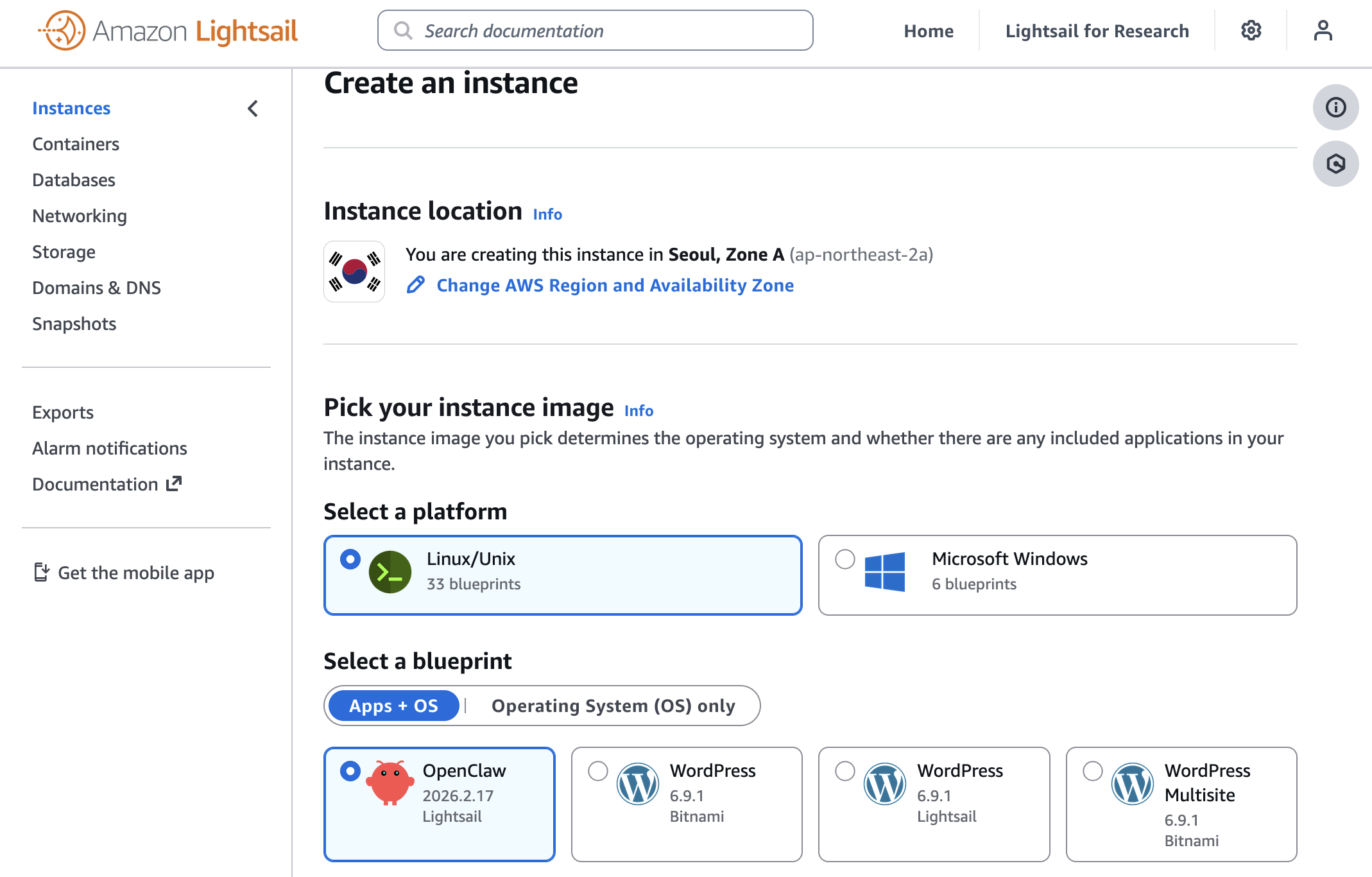
You can choose your instance plan (4 GB memory plan is recommended for optimal performance) and enter a name for your instance. Finally choose
Create instance. Your instance will be in a
Running state in a few minutes.
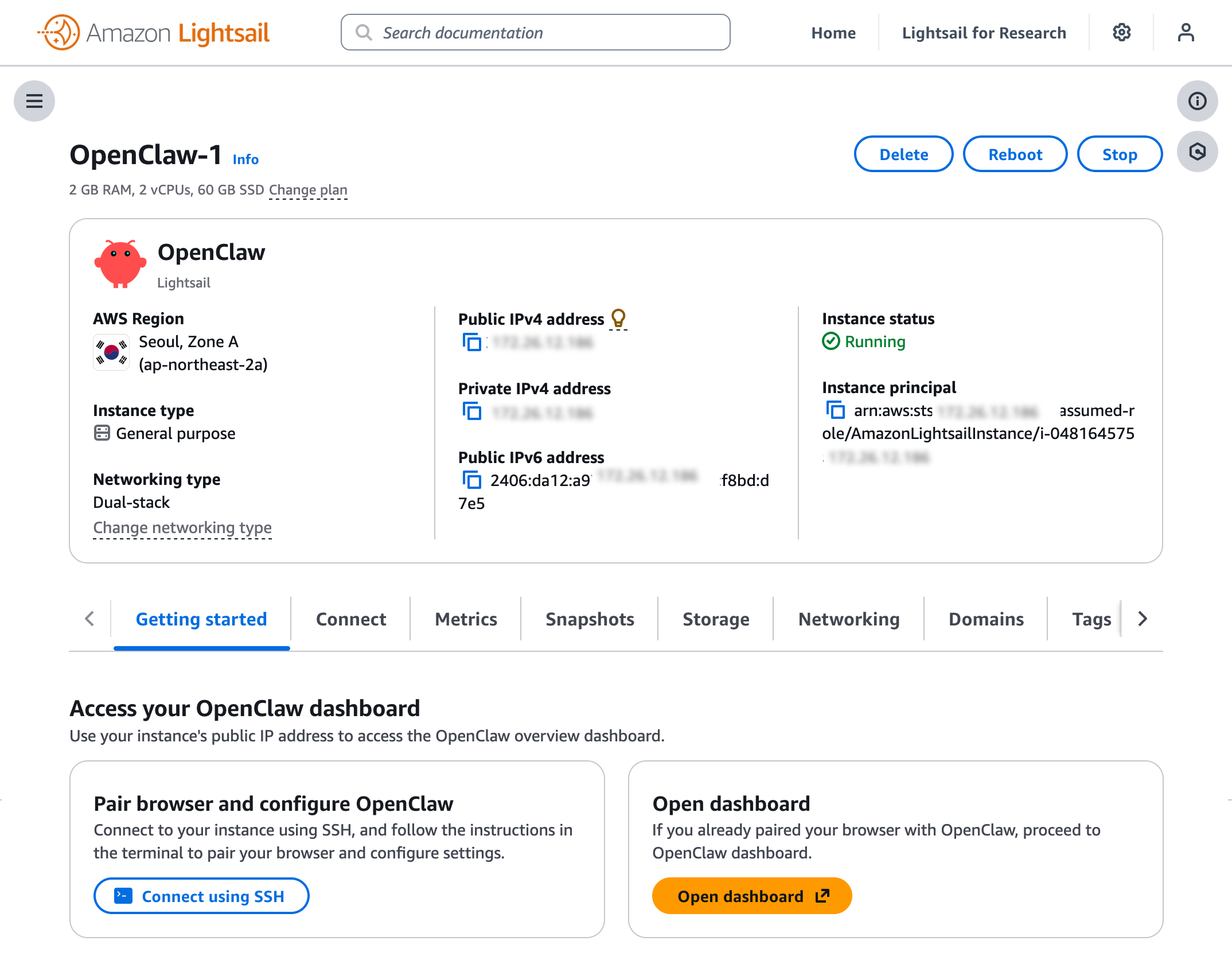
Before you can use the OpenClaw dashboard, you should pair your browser with OpenClaw. This creates a secure connection between your browser session and OpenClaw. To pair your browser with OpenClaw, choose
Connect using SSH in the
Getting started tab.
When a browser-based SSH terminal opens, you can see the dashboard URL, security credentials displayed in the welcome message. Copy them and open the dashboard in a new browser tab. In the OpenClaw dashboard, you can paste the copied access token into the Gateway Token field in the OpenClaw dashboard.
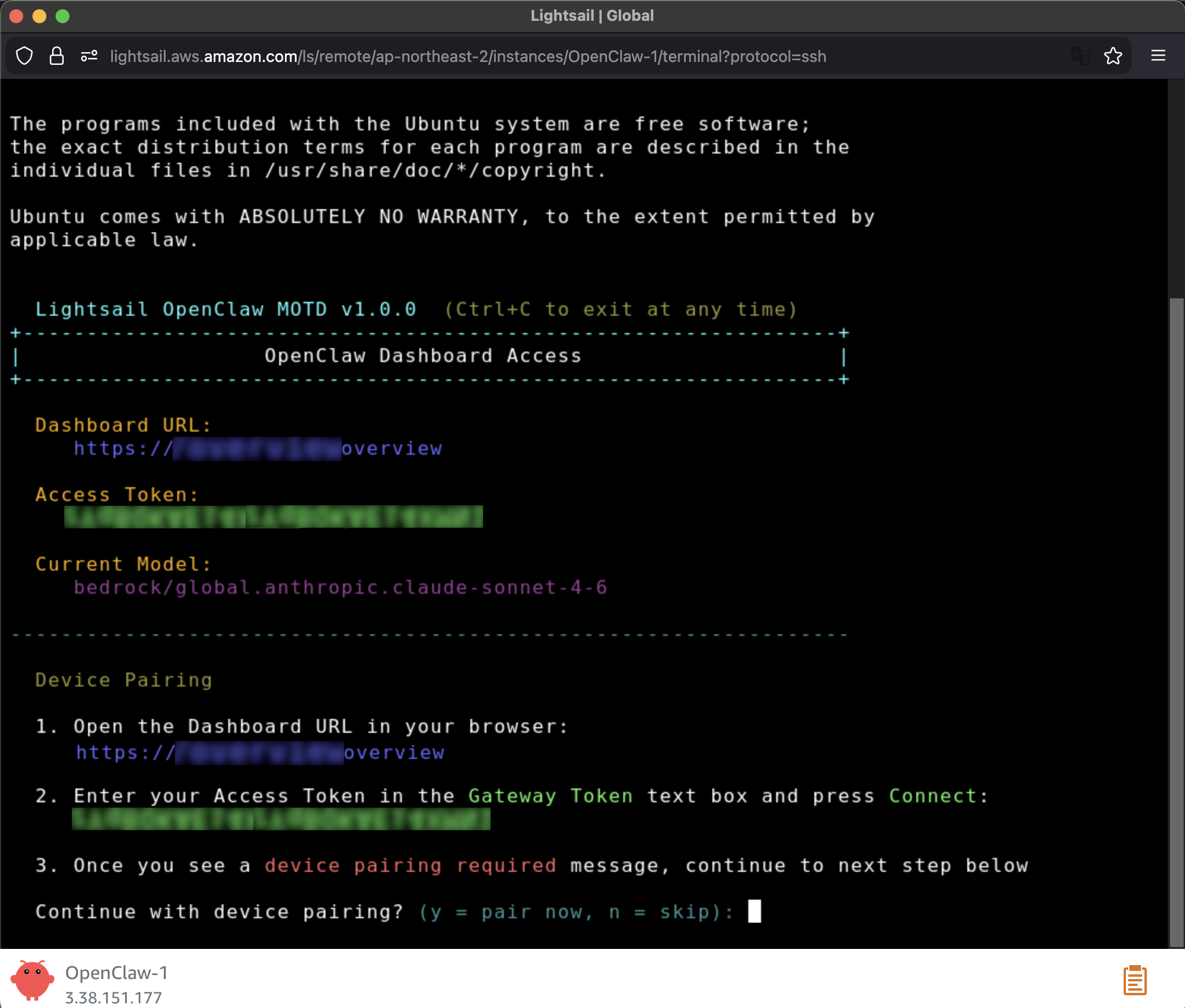
When prompted, press
y to continue and
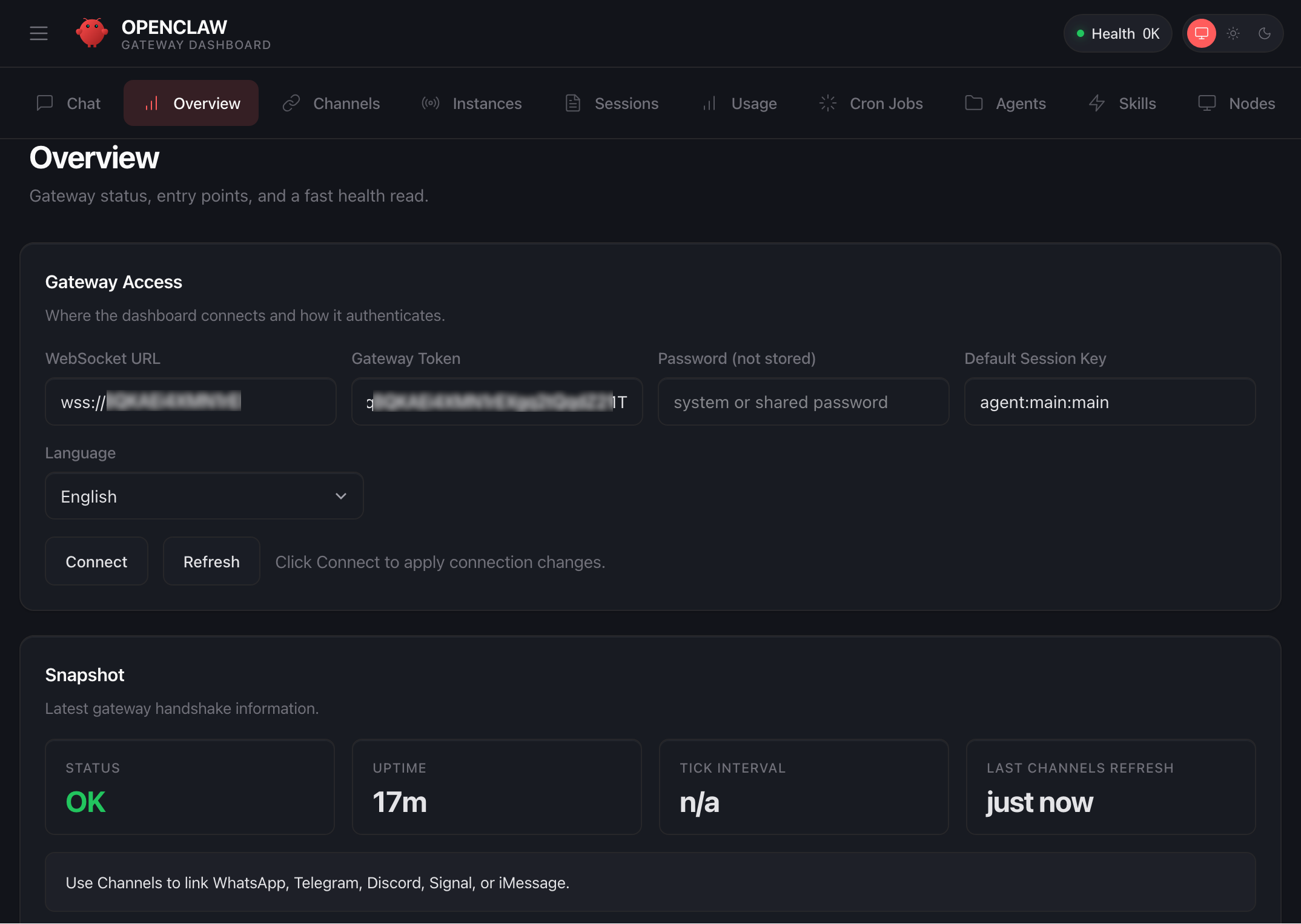
a to approve with device pairing in the SSH terminal. When pairing is complete, you can see the
OK status in the OpenClaw dashboard and your browser is now connected to your OpenClaw instance.
Your OpenClaw instance on Lightsail is configured to use Amazon Bedrock to power its AI assistant. To enable Bedrock API access, copy the script in the
Getting started tab and run copied script into the
AWS CloudShell terminal.
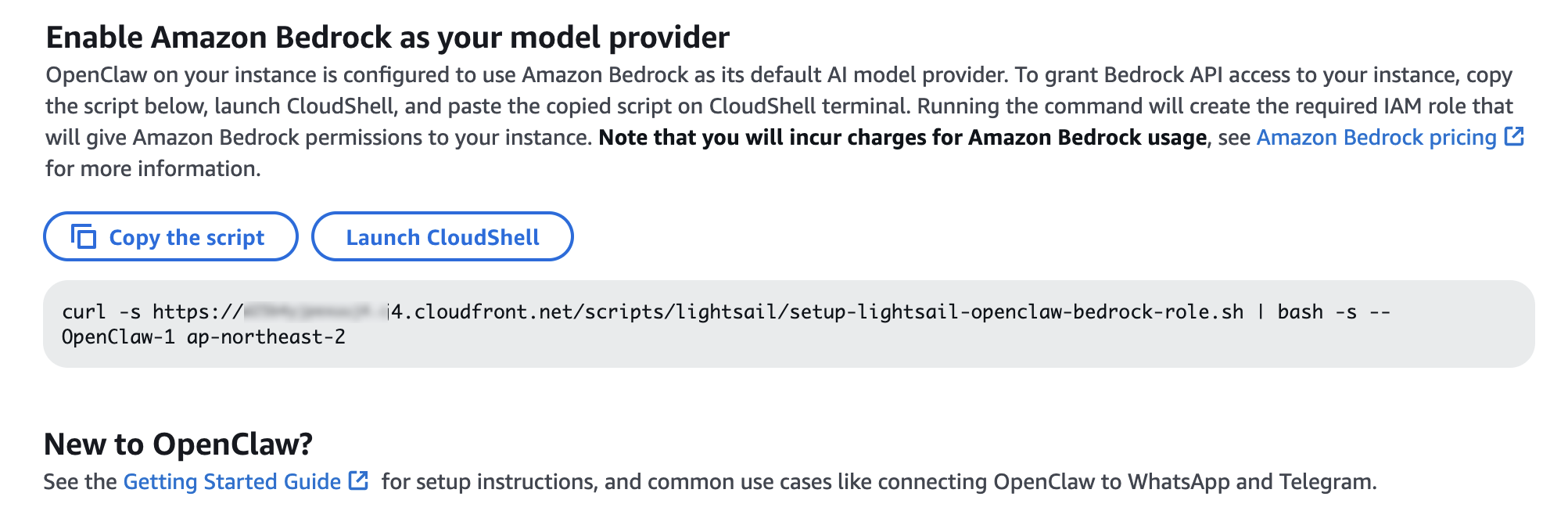
Once the script is complete, go to
Chat in the OpenClaw dashboard to start using your AI assistant!
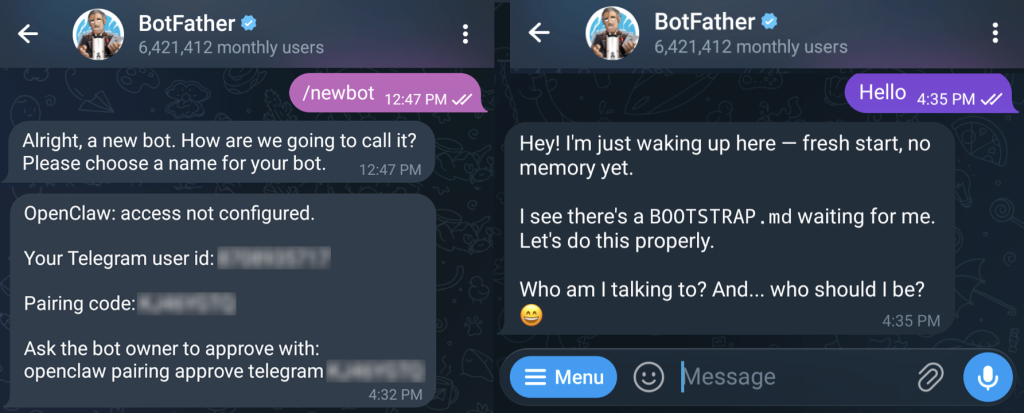
You can set up OpenClaw to work with messaging apps like Telegram and WhatsApp for interacting with your AI assistant directly from your phone or messaging client. To learn more, visit
Get started with OpenClaw on Lightsail in the Amazon Lightsail User Guide.
 Things to know
Here are key considerations to know about this feature:
- Permission — You can customize AWS IAM permissions granted to your OpenClaw instance. The setup script creates an IAM role with a policy that grants access to Amazon Bedrock. You can customize this policy at any time. But, you should be careful when modifying permissions because it may prevent OpenClaw from generating AI responses. To learn more, visit AWS IAM policies in the AWS documentation.
- Cost — You pay for the instance plan you selected on an on-demand hourly rate only for what you use. Every message sent to and received from the OpenClaw assistant is processed through Amazon Bedrock using a token-based pricing model. If you select a third-party model distributed through AWS Marketplace such as Anthropic Claude or Cohere, there may be additional software fees on top of the per-token cost.
- Security — Running a personal AI agent on OpenClaw is powerful, but it may cause security threat if you are careless. I recommend to hide your OpenClaw gateway never to expose it to open internet. The gateway auth token is your password, so rotate it often and store it in your environment file not hardcoded in config file. To learn more about security tips, visit Security on OpenClaw gateway.
Now available
OpenClaw on Amazon Lightsail is now available in all AWS commercial Regions where
Amazon Lightsail is available. For Regional availability and a future roadmap, visit the
AWS Capabilities by Region.
Give a try in the
Lightsail console and send feedback to
AWS re:Post for Amazon Lightsail or through your usual AWS support contacts.
–
Channy
https://aws.amazon.com/blogs/aws/introducing-openclaw-on-amazon-lightsail-to-run-your-autonomous-private-ai-agents/
Related