
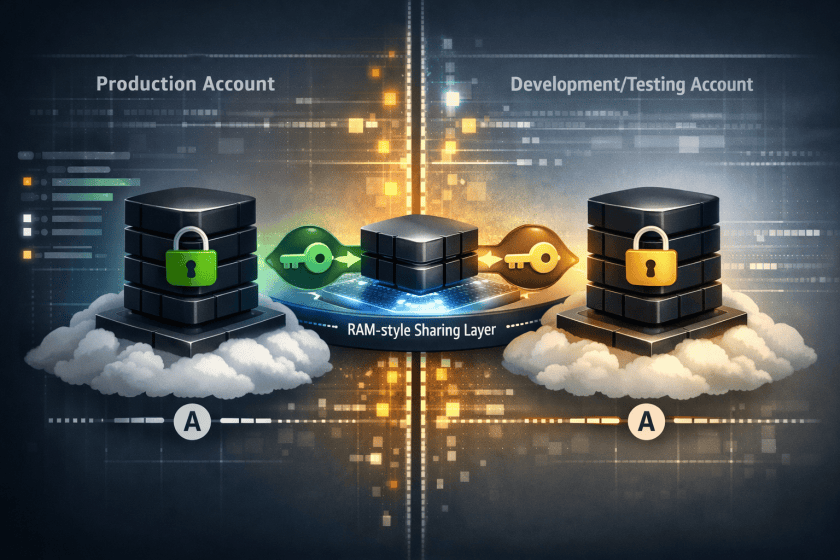
For AWS practitioners, the important shift here is not just faster copying of block storage; it is a new building block for multi-account operating models. Cross-account EBS clones can reduce the friction of refreshing development, testing, forensic, or isolated recovery environments, but only if teams treat them as part of account-boundary design rather than a simple storage convenience.
The main architectural constraint is that this is still tightly coupled to Availability Zone placement. Organizations that standardize on separate accounts for workload isolation will need an explicit mapping strategy based on AZ IDs, not human-readable AZ names, or automation may target the wrong physical location. That matters for repeatable environment refreshes, DR drills, and pipeline-driven provisioning.
Security teams should also pay close attention to what this feature changes operationally. Sharing an encrypted volume requires corresponding KMS key-sharing decisions, and re-encrypting in the destination account is often the cleaner pattern for separation of duties. In practice, that means platform teams should define guardrails for who can share volumes through RAM, who can use source keys, and which destination keys are approved for cloned data sets. Otherwise, a convenience feature can become an uncontrolled path for production data propagation.
Before broad adoption, it is worth deciding where clones fit relative to snapshots, backup policies, and data-masking workflows. Instant access is attractive, but many enterprises will still need post-copy controls such as sanitization, tagging enforcement, EventBridge-driven approvals, and CloudTrail monitoring to ensure cloned volumes are governed as rigorously as the systems they came from.
Last year, we introduced Volume Clones of Amazon Elastic Block Store (Amazon EBS), a new capability that lets you create instant point-in-time copies of your EBS volumes within the same Availability Zone.
Today, we are extending Volume Clones with cross-account copy, so you can create copies of your EBS volumes into other AWS accounts and optionally re-encrypt them with an AWS Key Management Service (AWS KMS) key in the target account.
With this new feature, you can use your latest application data to develop, test, and experiment in a secondary environment, while protecting and isolating the information in the production environment. For example, you can create copies of a production environment to refresh test and development environments set up in separate accounts with the desired EBS encryption.
Copy EBS volumes across AWS accounts in action
To create a copy of an EBS volume across accounts, the owners of the volume can first grant the target account access to their volume in AWS Resource Access Manager (RAM), which provides a way to share resources across AWS accounts or within an AWS Organization. Then, from the target account, they can locate the volume they have access to create a copy of it.
To get started, choose Share volume for the volume you want to share with the target account in the Amazon EBS console.
Share the volume with other AWS accounts by adding it to existing resource shares, or create a new resource share in the AWS RAM console. For more details, refer to the AWS RAM User Guide.
You can now see confirmation that the volume has been shared in the Volume sharing tab of the volume detail page.
A target account must accept the resource share on the RAM console.
Once they accept the resource share, they can see the volumes in the EBS volume page of the target account. Choose Copy volume for any shared volume.
To share and copy EBS volumes across AWS accounts programmatically, including calling APIs and searching documentation, try the AWS MCP Server and plugins with your preferred AI coding tool. To learn more, visit the Amazon EBS User Guide.
Things to know
Let me share some important technical details that I think you’ll find useful.
- Encryption: You can share unencrypted volumes and volumes encrypted with a customer managed key (CMK). Volumes encrypted with the default AWS managed key (AMK) cannot be shared. When copying a shared volume encrypted with a CMK, the CMK must also be shared with the target account. You can specify a different CMK to re-encrypt the copy in the target account.
- Monitoring: You can monitor
SharedVolumeCopyInitiatedthrough AWS CloudTrail event in your account. You will also receive events in Amazon EventBridge at the start of the copy operation when the state of the copied volume isinitializing, and at the end of the operation when the state of the copied volume changes tocompleted. You can see the shared volume ID, consuming account ID, and event time. - Pricing: Once a copy is initiated, you’ll pay a one-time fee based on your volume size, charged to the account where the copy will reside. There’s no cost for sharing EBS volumes through AWS RAM. The copied volume will incur regular EBS volume charges upon creation.
- Availability Zone: The volume copy must be created in the same Availability Zone as the source volume. Use Availability Zone IDs (such as
use1-az1) to identify the same physical location across accounts.
Now available
Cross-account volume clones for Amazon EBS are available in all AWS Regions that support Amazon EBS Volume Clones. For Regional availability and a future roadmap, visit the AWS Capabilities by Region.
Give this feature a try in the Amazon EC2 console today and send feedback to AWS re:Post for Amazon EBS or through your usual AWS Support contacts.
— Channy
Enjoyed this article? Sign up for our newsletter to receive regular insights and stay connected.