
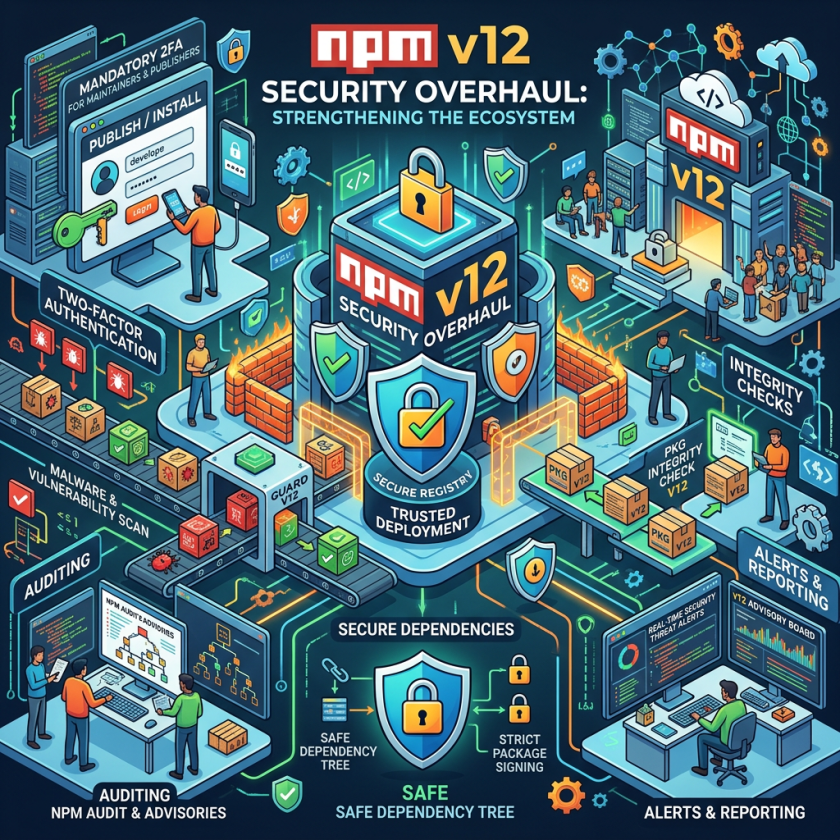
npm v12 matters operationally because it turns dependency trust into a deploy-time control point. For engineering teams, the immediate question is less about package security in the abstract and more about whether build pipelines, workspace layouts, and release automation can absorb a permissioned install model without introducing hidden drift between developer laptops and CI.
The biggest implementation risk is not just blocked scripts, but inconsistent approvals. In multi-repo and monorepo environments, allowlists scoped in package.json create a new review artifact that must move through code review, branching, and release promotion like any other configuration change. That makes dependency installation part of change management, but it also adds friction for teams that currently treat installs as disposable infrastructure state.
There is also an observability gap to close. Because blocked installs can still return exit code 0, pipeline health checks need to verify the artifact that matters: compiled native modules, downloaded browser assets, and any package that assumes postinstall side effects. Without explicit post-install validation, teams can ship builds that look successful but fail only when the application first exercises a missing binary or skipped asset.
For platform owners, the architectural trade-off is clear: less implicit execution means more predictable supply-chain posture, but also more work to standardize internal package sources and package-maintainer guidance. Teams that still depend on Git references, tarball URLs, or install-time compilation should treat this as a packaging modernization moment, not merely a flag flip.
JavaScript engineering teams have a shrinking window to prepare: npm v12, the package manager’s most significant security redesign in its 16-year history, is expected to reach final release before the end of July 2026, and the second pre-release that locked its feature set shipped in late June. Teams running npm install in CI/CD pipelines without acting on the advisory warnings already available in npm 11.16.0 will discover broken builds — not error messages, but silent build failures with exit code 0 — the moment v12 becomes the default.
The redesign ends one of software development’s oldest standing vulnerabilities: for over a decade, running npm install has automatically granted every package in a dependency tree — including packages several levels deep that developers never directly chose — the right to execute arbitrary shell commands on the installing machine. That single design assumption has been the entry point for every major npm supply chain attack since 2025. npm v12 converts it from a default permission to an explicit allowlist decision, version-controlled in source code and reviewable in pull requests.
The urgency is real. North Korean state-sponsored attackers have now mounted two confirmed npm supply chain campaigns in 2026 — compromising Axios in March and the Mastra AI framework in June — and a year of worm-driven attacks has put enough automation in the hands of copycat operators that the pace of new incidents has accelerated, not slowed. With npm v12’s final release weeks away, the question for engineering teams is not whether to migrate but whether to do it now, with npm 11.16.0’s advisory-mode warnings as a guide, or to wait until v12 arrives and learn what breaks in production.
npm Install Scripts Have Always Been a Silent Code-Execution Surface
Every time a developer installs a Node.js project’s dependencies today, npm hands execution rights to every package in the dependency tree before a single line of application code runs. Packages can define preinstall, install, and postinstall lifecycle scripts that execute silently, with the full permissions of the user. The average npm project pulls in 79 transitive dependencies — packages the developer never directly audited — and any one of them can carry a malicious install script.
GitHub’s npm v12 changelog described this as the "single largest code-execution surface" in the npm ecosystem. Only about 2% of npm packages actually need install scripts to function; the vast majority use them as a convenience shortcut for build steps that could be performed explicitly. Under npm’s current architecture, however, 100% of packages carry the implicit right to run arbitrary code at install time. npm v12 narrows that 98% unnecessary execution surface to zero by default.
The scale of what that surface has cost the ecosystem in 2025 and 2026 is staggering. Attackers published nearly 455,000 malicious open-source packages in 2025 alone, per Sonatype’s 2026 supply chain report, pushing the cumulative total of blocked malicious packages past 1.233 million — a 75% jump year over year. The attacks have not slowed: Palo Alto Networks’ Unit 42 report on npm threats documented an accelerating cadence of mass-poisoning events throughout 2026, each sharing the same core mechanism — a postinstall hook that fired the moment a developer ran npm install.
How npm v12 Works: Allowlist in Source Control, Not Runtime Detection
In v12, allowScripts defaults to off. When a developer runs npm install, the package manager checks the project’s package.json for an explicit allowlist before running any lifecycle scripts from any dependency. Packages not on the allowlist have their scripts silently blocked.
This is a structural shift in how the npm ecosystem assigns trust — away from "every published package is implicitly permitted to run code" and toward "only packages on your reviewable, versioned allowlist can execute at install time." The allowlist is not a session flag. It is written to package.json, committed to source control, diffable in pull requests, and auditable by security teams the same way any other dependency decision is. It is the first time npm has created a visible, version-controlled record of which packages are authorized to run code during installation.
The allowlist model also closes two additional attack vectors that npm’s prior manual workaround — the –ignore-scripts flag — could not address:
The first is the Git dependency execution path. When npm installs a Git-sourced dependency, it shells out to the system’s git binary. A malicious Git dependency can include its own .npmrc file that overrides the path to that binary, effectively replacing "git" with an attacker-controlled executable — and executing it during installation, even on projects where –ignore-scripts was enabled. npm v12 blocks all Git dependencies by default, requiring an explicit –allow-git flag.
The second is the Phantom Gyp attack. Any package containing a binding.gyp file triggers an automatic node-gyp rebuild during npm install, with no lifecycle script entry required. npm treats any package with that file as a native addon requiring compilation, and runs the build unconditionally. Most security scanners watch for scripts.postinstall in uploaded packages and see nothing when the attack surface is a 157-byte binding.gyp file instead. npm v12 treats this implicit build trigger as equivalent to a declared install script: it is blocked unless the package appears in the project’s allowScripts allowlist.
A third change blocks remote URL dependencies — HTTPS tarballs and other non-registry sources — by defaulting –allow-remote to none.
Detection After Publication Has Failed: Why the Allowlist Model Is More Than a Setting Change
The significance of npm v12 extends beyond its specific defaults. The allowlist model represents an acknowledgment, at the registry’s default level, that real-time detection of malicious packages after publication cannot keep pace with how fast they now appear. Security scanner coverage, SLSA provenance attestations, and registry review processes have all proven insufficient against the attack pace of 2025 and 2026.
"Package installation is shifting from implicit trust to explicit allowlisting at the ecosystem’s default layer," said Mitch Ashley, VP and Practice Lead for Software Lifecycle Engineering at The Futurum Group. "Disabling automatic script execution, Git resolution, and remote fetches by default concedes that detecting malicious packages after publication cannot keep pace with how fast they appear. Engineering and platform teams now own a dependency allowlist committed to source control, and CI must fail builds on unreviewed install scripts. Verifying what executes at install time becomes a standing engineering obligation rather than a security team afterthought."
pnpm implemented the identical policy in pnpm v10 in January 2025 — 18 months before npm. The move attracted pushback from the Node.js community at the time but has since been credited with protecting pnpm users from attacks that hit npm projects during the same period. Yarn Berry and Bun also block lifecycle scripts by default. npm was the last major JavaScript package manager still granting implicit install-time execution rights to every dependency.
Three Attacks, One Mechanism: The Year That Made v12 Inevitable
The timing of npm v12 follows directly from three campaigns that exposed the install-time execution model as an industrialized attack surface.
Shai-Hulud (September 2025) marked what Palo Alto Networks Unit 42 described as the end of the "nuisance era" of npm attacks. The self-replicating worm stole GitHub and npm publish tokens from victim environments and used them to automatically infect and republish packages — a force multiplier that turned each initial compromise into an ecosystem event. The first wave alone hit over 180 packages, including chalk and debug, with combined weekly downloads exceeding 2.6 billion. Subsequent waves in 2026 expanded to nearly 800 packages and reached projects connected to Zapier, PostHog, and Postman.
Axios (March 31, 2026) brought the threat to the center of the JavaScript ecosystem. Attackers attributed to Sapphire Sleet — the North Korean state actor also tracked as BlueNoroff and APT38 — hijacked the npm account of Axios’s lead maintainer and published two malicious versions of the HTTP client library, which sees approximately 100 million weekly downloads. Rather than modifying Axios’s code directly, they injected a malicious dependency called plain-crypto-js that used a postinstall hook to drop a cross-platform remote access trojan, according to the Microsoft Security Blog’s analysis of the Axios compromise. CISA issued an advisory on the Axios supply chain attack recommending organizations treat any system that installed the affected versions as fully compromised. Huntress confirmed at least 135 endpoints contacted attacker command-and-control infrastructure during the three-hour exposure window.
Miasma (June 1–5, 2026) demonstrated that attackers had already adapted to defenses being built. The campaign, attributed to copycat operators building on TeamPCP’s open-sourced Shai-Hulud tooling, compromised over 57 npm packages — including @vapi-ai/server-sdk with 408,000 monthly downloads — across multiple waves. Its Phantom Gyp technique was a direct answer to install-script scanning: attackers inserted a malicious binding.gyp file instead of a postinstall entry, triggering npm’s implicit node-gyp rebuild and executing attacker-controlled code while evading standard security scanners. The payload harvested AWS, GCP, GitHub, and Kubernetes credentials and self-propagated by republishing from every maintainer account it could reach.
Miasma also bypassed SLSA Build Level 3 provenance attestations — widely considered the highest tier of supply-chain integrity verification available at the time. The worm operated from inside the legitimate pipeline: a Red Hat employee’s GitHub account was compromised, triggering real GitHub Actions workflows that published Trojanized packages with technically valid provenance. SLSA can confirm which pipeline built a package. It cannot confirm whether that pipeline’s internal state was clean.
GitHub published the npm v12 breaking-change notice five days after Miasma’s second wave.
How npm v12 Would Have Blocked These Attacks
npm v12’s allowScripts change directly closes the postinstall execution path that the Axios attack exploited. Even with the maintainer account compromised and the malicious plain-crypto-js dependency published, the postinstall hook would have been blocked in any project running v12 without an explicit approval of that package.
The Phantom Gyp technique is also addressed: npm v12 blocks the implicit node-gyp rebuild that a binding.gyp file triggers, treating it identically to any explicit install script. Packages that need native compilation must appear in the project’s allowScripts allowlist.
The –allow-git change closes the .npmrc override path that persisted even under –ignore-scripts. The –allow-remote change blocks unverifiable tarball URLs.
Security researchers note what v12 does not close: compromised maintainer accounts can still publish malicious packages to the registry, and if that malicious code lives in the package’s runtime functions rather than in a lifecycle script, it will still reach developers who install and import it. "Account takeover remains an open wound," said OX Security’s Moshe Siman Tov Bustan. "Once an actor controls a legitimate maintainer’s credentials, no amount of install-script blocking helps, because the malicious code ships as a trusted, signed release." Typosquatting, dependency confusion, and vulnerable-but-legitimate packages remain outside the scope of v12’s defaults.
What Breaks Silently When v12 Arrives — and What to Do Before July Ends
The most dangerous aspect of the npm v12 migration is not the packages that break loudly, but the ones that break silently. When a native addon package is blocked by v12’s allowScripts default, npm install completes with exit code 0 and no error message. The native binary is never compiled. The failure surfaces later, at runtime, as a "cannot find module X.node" error with no obvious connection to the install step.
This silent-failure behavior is especially dangerous in CI/CD pipelines that use a clean exit code as a proxy for successful build preparation. Pipelines treating exit code 0 as "everything installed correctly" will pass silently while producing a deployment that crashes on first use. Teams should add –strict-allow-scripts to CI commands and write smoke tests that explicitly require() native modules after installation, rather than trusting exit codes alone.
The packages most commonly affected are native addons: sharp (image processing), bcrypt (password hashing), canvas, sqlite3, fsevents, bufferutil, esbuild, and @tailwindcss/oxide all depend on install-time compilation or binary downloads. Browser automation tools — Puppeteer, Playwright, and Cypress — use postinstall to download their full browser binaries. Those downloads will be blocked. The recommended workaround is to call npx playwright install or npx cypress install explicitly after npm install, rather than relying on the postinstall hook.
Monorepos face an additional subtlety. The allowScripts field in package.json is scoped to each workspace individually. An approval at the repository root does not propagate to nested packages. Each workspace containing native dependencies needs its own npm approve-scripts pass.
The version-pinned allowlist is an intentional security feature, not a limitation: a previously-approved package does not inherit its approval when it updates to a new version. Approvals must be renewed after npm update, which adds friction but ensures a compromised version of a trusted package cannot coast on an old approval.
Running npm approve-scripts Before July Ends
GitHub built a migration runway that does not require waiting for v12. All three changes are available as advisory warnings in npm 11.16.0 — scripts still run, but the install summary flags every unreviewed package that v12 would block.
The recommended workflow has four steps:
First, upgrade to npm 11.16.0 or later. This enables advisory mode without enforcing any blocks.
Second, run npm approve-scripts –allow-scripts-pending in each project. This generates a complete list of dependencies whose scripts or sources would be blocked under v12. Most applications show three to eight packages at this step.
Third, review each flagged package, approve the ones that genuinely require install-time execution with npm approve-scripts, and deny the rest with npm deny-scripts. The allowlist is written to package.json.
Fourth, commit the updated package.json to source control. The allowlist must be version-controlled to take effect consistently across developer machines and CI environments.
For teams that rely on internal HTTPS tarballs or monorepos that pin packages to Git branches, the correct long-term solution is migration to a proper registry — GitHub Packages, Nexus, or Artifactory — rather than adding –allow-remote to every CI script. The flag exists for legitimate cases but using it as a blanket override defeats the security intent.
Package maintainers whose packages depend on install scripts should document this requirement clearly and evaluate shipping prebuilt binaries using tools such as prebuild, prebuildify, or node-pre-gyp. A package that eliminates its install script dependency is a package that cannot be weaponized through one.
Teams wanting to restore pre-v12 behavior entirely can set allow-scripts=all in .npmrc, but this is explicitly trading away the security intent of the change rather than adapting to it.
npm v12 and the Allowlist as a Social Engineering Target
The allowlist model introduces a new failure mode that security teams should explicitly address. A developer facing a wall of v12 warnings in CI may run npm approve-scripts –all to make them disappear immediately. This defeats the entire purpose of the system — the allowlist becomes meaningless if teams approve every package indiscriminately rather than reviewing each one deliberately.
The risk is not hypothetical. Every 2026 npm supply chain attack exploited the default trust model; v12 narrows that default but does not eliminate the human decision layer. If the human decision layer rubber-stamps every approval request to clear a backlog, attackers who compromise a package between one approval cycle and the next still have a path to execution at update time.
The mitigation is organizational: establish a policy requiring individual package review during the initial allowScripts build, add the allowlist to code review scope, and configure CI to fail builds on any package whose scripts are pending approval rather than defaulting to permit.
Frequently Asked Questions
Will npm v12 break my existing projects?
Projects with native addon packages (anything using node-gyp or containing a binding.gyp file), Git-sourced dependencies, or HTTPS tarball sources will encounter breaking changes if they upgrade without preparation. Pure JavaScript projects that depend only on registry packages with no install scripts will likely migrate without issues. The fastest way to assess your exposure is to upgrade to npm 11.16.0 and run npm install — the warnings that appear identify exactly what v12 would block. Running npm approve-scripts –allow-scripts-pending generates the full list without requiring any changes.
How does npm v12’s allowlist change what attackers can do with a compromised package?
npm v12 eliminates the automatic execution of postinstall hooks, binding.gyp-triggered builds, and install scripts as a default attack vector. For attacks like the Axios and Mastra compromises, where the malicious payload was delivered through a postinstall hook, npm v12 would have blocked execution in any project that had not explicitly approved the compromised dependency. However, v12 does not protect against malicious code embedded in a package’s runtime functions — code that executes when the package is imported, not when it is installed. Account takeover remains the deepest open problem: a compromised maintainer account can still publish malicious runtime logic that v12’s allowlist has no mechanism to detect.
What is the Phantom Gyp attack, and why did standard scanners miss it?
Phantom Gyp is an attack technique in which an attacker adds a small binding.gyp file to a compromised package. npm interprets any package containing that file as a native addon and automatically runs node-gyp rebuild during installation — even if the package has no explicit install script entry and even if –ignore-scripts is set. Most security scanners watch for scripts.postinstall in package.json metadata uploaded to the registry and flag nothing when the only change is a binding.gyp file. The Miasma worm’s second wave in June 2026 used this technique specifically to bypass install-script detection. npm v12 closes this vector by treating the implicit binding.gyp build as requiring explicit allowlist approval, the same as any declared lifecycle script.
Should my team approve everything with npm approve-scripts –all to get through the migration faster?
No. Blanket approval defeats the purpose of the allowlist and recreates the pre-v12 trust model in a form that is harder to audit. The allowlist’s security value comes from deliberate, package-by-package review — understanding which packages genuinely need install-time execution and why. Use npm approve-scripts –allow-scripts-pending to generate the list first, then review each package individually. For most applications the list is three to eight packages, which makes individual review practical. If the list is larger, triage by download volume and maintainer history, and schedule a second-pass review for lower-risk packages after the initial migration. The goal is a reviewable, version-controlled artifact that tells your security team exactly which packages are trusted to run code at install time — not a document that says "all of them."
Enjoyed this article? Sign up for our newsletter to receive regular insights and stay connected.